The fair is weeks away, and the committee chat won’t stop buzzing. A school fair checklist turns that chat into jobs with names and dates: what to book, what to sign, who stands where, and what happens at the gate when families arrive.
Below is one you can copy, from twelve weeks before to the thank-you messages after. It covers the usual jobs — stalls, floats, insurance — and the parts most lists skip: how families sign up, how they get in, and what helpers need to know about allergies and photos.
Key takeaways
- Give every line on the checklist one name and one date, or it won’t get done.
- Plan how families sign up and get in before you plan the stalls.
- Check insurance, raffle, music and alcohol rules with your school and council eight weeks out.
- Print the guest list for the gate in case the Wi-Fi or phone signal drops.
- Two people should own every float and every cash count.
Contents
How to use this checklist
Copy the lists into a shared document. Put one name and one date beside each line. A job with no name is a job nobody does.
The legal items follow guidance for schools in England from the PTA+ summer fair checklist. Rules on licences, raffles, alcohol and data differ by country and council, so check with your school and your local authority.
Your school fair checklist, week by week
Twelve weeks gives you time to book attractions, sort the paperwork and fill the rota without a last-minute rush. If you have less time, do the same jobs in the same order, closer together.
Twelve to ten weeks before
- Agree the date with the head teacher, and the spaces you can use inside and out
- Find last year’s handover notes, takings and feedback
- Choose one lead each for stalls, food, money, volunteers and the gate
- Send a save-the-date to families in the newsletter and class WhatsApp groups
- Book big attractions such as inflatables or rides
- Decide how families will sign up and pay for entry: online, on the day, or both
Eight weeks before
This is the paperwork week. PTA+ lists these items for PTAs in England; your country may have its own.
- Check the PTA’s public liability insurance is up to date
- Ask outside stallholders for their own public liability insurance
- Register with the local authority if you’ll sell raffle tickets before the day
- Check whether the school’s music licence covers recorded music, or get one
- Ask the school who needs a DBS check, and what kind
- Write a plan for first aid and emergencies
- Open the sign-up page, with presale entry if you offer it
Six to four weeks before
PTO Today suggests ordering enough prizes for every child to win at every game, plus at least 20% more. Extras keep for next year.
- Pick stalls and games for all ages and budgets, with a price for each go
- Order prizes, with spares
- Put up posters and flyers with the sign-up page’s QR code
- Apply for a Temporary Event Notice if you’ll sell alcohol: at least ten working days before, in England
- Draw a site plan with power, water, first aid, the entrance and a clear way out
- Update last year’s risk assessment
- Ask the treasurer to order a float for each stall
Two weeks before
- Fill the volunteer rota: every stall, every hour, with a name
- Send a last call for helpers in class groups
- Make signs for toilets, first aid, food and each stall
- Decide your bad-weather plan, and how you’ll tell families
- Remind families who signed up of the time and where to come in
The week before
- Finish the risk assessment and give every lead a copy
- Charge the card readers and set up the prices on them
- Print the guest list for the gate, in name order
- Test check-in on the helpers’ phones at the gate itself, to see if the signal reaches
- Tell helpers about allergies and photo wishes
On the day
- A safety briefing half an hour before opening
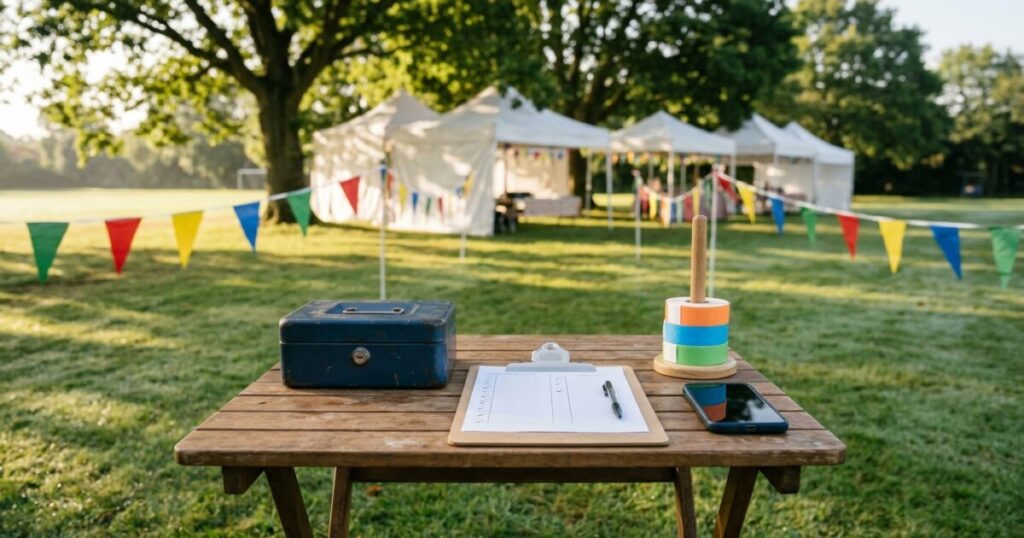
- At the gate: charged phones, the printed list, pens and a cash box with its float
- Two people for floats and cash collections, with each float written down
- One spare helper for walk-ins and breaks
- A list of small jobs for parents who offer to help on the day
After the fair
- Count the takings with two people and match them to the floats and sign-ups
- Thank volunteers, sponsors and families, and say what you raised
- Ask for feedback while it’s fresh
- Delete families’ details you no longer need
- Write handover notes for next year’s committee
Plan the gate before the stalls
Most checklists say “set up the entrance” and stop. But the gate is where the queue forms, so it needs decisions weeks ahead.
Presale entry helps the most. Families who sign up before the day don’t stop to pay or spell their names. Many PTAs make it cheaper in advance and more on the day, so families have a reason to book.
- One sign-up per family, with each child named
- An age under which children go free — under 2s or under 5s
- A presale price and an on-the-day price, if they differ
- What families show at the gate: a wristband, a paper ticket or a QR code
- A way in for families without email or a smartphone: a paper form, or a helper with a tablet
With QRSVP, one parent signs up the whole family, every guest gets a QR ticket by email, and children under the age you choose show as Free.
What helpers need at the gate
Ten families arrive at once. The helper has a phone in one hand and a cash box beside them. They need to find each family fast, see the right price, and spot any warning that matters.
- One code per family, so the whole group checks in together
- The amount owed on screen, so nobody does sums in their head
- Allergy and no-photo notes where they can see them
- A printed list with boxes for in and paid, in case the signal drops
- A rule for walk-ins: who takes their names, and what they pay
In QRSVP, helpers scan with any phone and no app, and one tap checks in the whole family and takes their total. See the community fair demo to sign up as a guest and get the real tickets email.
Make the money add up for the treasurer
Takings that don’t match are the hardest job of the night. Fix it at the start, not at the end.
- Two named people own the floats and the cash collections
- Each stall’s float is written down at the start, and each collection as it happens
- Entry money stays apart from stall money
- Two people count, then match entry takings to the sign-up list
- Online and on-the-day payments are marked, so nobody pays twice
Photos and families’ details
Parents who take photos of their own children for personal use aren’t covered by data protection law, says the UK’s Information Commissioner’s Office. A school may still ask parents not to post other children online, but that’s a school rule, not a data protection one.
Photos the PTA takes for a newsletter, website or social media are different. UK government guidance for schools treats images of children who can be identified as personal data, and says consent must be clear, specific, informed and freely given.
- Ask about photo wishes on the sign-up form, child by child
- Tell your photographer which children have a no-photo wish
- Ask only for what you need — names, ages if prices depend on them, allergies
- Decide when you’ll delete the list after the fair
This is general information for the UK. Rules in other countries differ, so check with your school.
Before you print the checklist
Choose a gate lead today, and decide how families will sign up. Most of the other lines follow from those two choices.
If your school’s website runs on WordPress, you can get QRSVP free and set up the fair’s sign-up page tonight, with unlimited events and guests.
Frequently asked questions
How far in advance should you start planning a school fair?
About twelve weeks before. That leaves time to book attractions, check insurance and licences, and fill the volunteer rota before the last fortnight.
How many volunteers does a school fair need?
Enough for every stall for every hour, plus the gate, the money and first aid. Build the rota stall by stall, then add one or two spare helpers for breaks and walk-ins.
Do we need parents’ consent for photos at the school fair?
Not for parents’ own photos taken for personal use, according to the ICO. Photos the PTA takes to publish are personal data, so ask families’ wishes first and respect a no-photo choice.
How do we handle families who didn’t buy in advance?
Keep an on-the-day price and one helper for walk-ins. Add their names on a tablet or a paper list, so your headcount and takings still add up.
What if the school Wi-Fi doesn’t reach the field?
Test check-in at the gate the week before. If the signal is weak, bring the printed list with boxes for in and paid, and tick families off by hand.
Sources
- Summer fair checklist, PTA+
- The Complete School Carnival Planning Guide for PTOs and PTAs, PTO Today
- Taking photographs: data protection advice for schools, Information Commissioner’s Office
- Taking and using photos and videos, and using CCTV in schools, GOV.UK (Department for Education)

We make QRSVP: guest lists and QR check-in for WordPress. One person signs up the whole family or team, and every guest gets a QR ticket by email. On the day, your helpers scan them in with any phone, no app needed. When a group arrives together, one tap checks them all in and takes what they owe. The plugin is free, with unlimited events and guests, and made for Elementor. QRSVP Pro adds eight event themes, your own questions on the form, a waitlist and reminder emails. See the demos and plans at qrsvp.pro. QRSVP is a WordPress plugin by MERAF Digital Solutions.
More articles