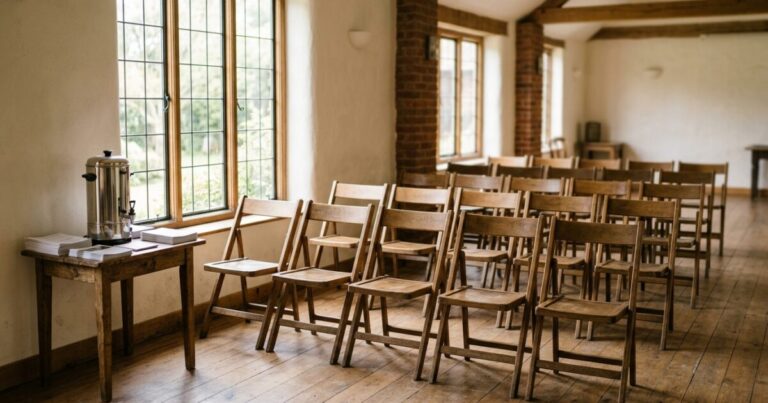
The hall holds 80. The sign-up sheet for the Christmas supper is on the noticeboard, three families have phoned the office, and a few more have filled in a form online. Nobody is sure of the real number.
Good church event registration puts all of them in one list: one sign-up per family, every person named, ages and allergies only where they matter, and a count of who actually came. You can set this up in an evening, even if some of your members are not comfortable online. Here is how, one step at a time.
Key takeaways
- Decide what the sign-up is for before you write a single question on the form.
- Let one person sign up the whole family, with every guest named on one form.
- Type paper, phone and walk-in sign-ups into the same list on the same day.
- Ask only what you need, and treat allergies as health information that needs extra care.
- Count who came at the entrance, and delete what you no longer need after the event.
Contents
- Decide what the sign-up is for
- Ask only what you need
- Let one person sign up the whole family
- Bring paper, phone and walk-in sign-ups into one list
- Set a limit for the hall
- Take fees online or on the day
- Count who actually came
- After the event, keep only what you need
- Your first sign-up page
- Frequently asked questions
Decide what the sign-up is for
Start with the reason, not the form. Each reason asks for different details, and the purpose decides every question you add.
| You need to know | So you ask | You can leave out |
|---|---|---|
| How much food to cook | Number of adults and children | Addresses |
| Who can have a free place | Each child's age | Dates of birth |
| Who must not eat certain food | Allergies, per person | Full medical history |
| Who is still owed money | The fee, and paid or not | Card details on paper |
| Who came, for safeguarding or a report | A check-in at the entrance | A signature from every guest |
Write the reasons down in one or two lines. They help the next volunteer understand the form, and they help you answer if a member asks why you need something.
Ask only what you need
Fewer questions means more families finish the form. It also means less private data to look after.
In the UK, data protection law says the details you hold should be enough for your purpose, linked to it, and no more than you need. The ICO's guide to the data protection principles calls this data minimisation. The EU rules use the same principle.
Allergies are health information. Under UK GDPR, health data is a special category that needs more protection, as the ICO explains. So ask for allergies only for events with food, show them only to the people who serve, and delete them when the event is over.
Rules differ by country. Many denominations publish their own guidance for churches — check yours, or your national data protection office, before you start.
Let one person sign up the whole family
Families come to church events together, so they should sign up together. One person fills in one form and names everyone coming.
Say Grace signs up her family of four for the Christmas supper. She gives one email address, names her husband and two children, and says her son is 3. If children under 5 go free, his place shows as free. Nobody at the table has to ask her later.
Naming each person matters for three reasons: your food count is right, allergies belong to the right guest, and your check-in list shows real names, not "Grace + 3".
Members should not need an account or a password to sign up. Every extra step loses someone — often the older members you most want to welcome.
Bring paper, phone and walk-in sign-ups into one list
Not everyone will sign up online, and that is fine. The trouble starts when the paper sheet, the phone notes and the online list live in three places.
One church software writer describes the result well: two lists, a name entered twice, allergy notes lost between paper and spreadsheet, and a headcount nobody trusts. ChurchLeaders' guide says walk-ins, phone calls and paper forms should go into the same system as online sign-ups.
You don't need special software for this. You need one habit:
- Put the same questions on the paper sheet as on the online form, in the same order.
- Choose one helper to type the paper and phone sign-ups into the online form, using each family's own details.
- Do it the same day, or at least once a week, so the count stays true.
- Write "entered" next to each paper line once it is in, then keep the sheet locked away or shred it.
- For walk-ins on the day, sign them up on a helper's phone with the same form.
Now there is one list. The number you give the cook is the number in that list.
Set a limit for the hall
Your hall has a limit, and so does the kitchen. Set the limit on the sign-up, not in your head.
When places run out, the sign-up should close. If you expect more interest than space — a retreat, a holiday club — keep a waiting list, and offer a place when a family cancels. Let families cancel through a link they already have, so a place they can't use goes back to someone else.
With QRSVP, sign-ups close themselves when the event is full, and when it has ended. A waitlist comes with QRSVP Pro, which also lets you add your own questions, such as an emergency contact for a retreat.
Take fees online or on the day
Many church events have a small fee: a meal, a coach trip, a weekend away. Members expect to pay in different ways, so offer both: online before the day, or at the entrance on the day.
- Fix the price when the family signs up, so nobody argues about it later
- Show free places as free, not as unpaid
- Record each payment against the family, whether by card, cash or cheque
- Never ask a family for money they have already paid
For deposits and balances on longer trips, keep the balance next to the family's name, not on a separate sheet. The treasurer then sees one list, not two.
If you want online payment with QRSVP, QRSVP Card Payments takes cards through Stripe, and families can still pay at the entrance, as before.
Count who actually came
Signing up is not the same as coming. For planning next year, for a report to the church council, or for safeguarding at a children's event, you need the real count.
Put one or two helpers at the entrance with the list. As each family arrives, they tick them in, take any fee, and note walk-ins. Tell helpers who has an allergy before food is served.
If the hall's Wi-Fi is weak, bring a printed list as well. A paper list with a box for "in" and a box for "paid" keeps working when the signal does not.
This is the moment QRSVP was built for: each family shows one QR ticket, a helper scans it with any phone, and one tap checks in the whole group and takes their total. Allergy and no-photo warnings come first on the check-in screen, and Door Staff can only scan, not change your website.
After the event, keep only what you need
Once the dishes are washed, there is one more job. Keep the numbers; let go of the private details.
Data protection law says you should not keep personal data longer than you need it — the Church of Scotland's data protection overview lists this storage limitation principle alongside the others. A total of adults, children and walk-ins is often all the next committee needs.
- Save the totals for your report: signed up, came, walk-ins, money taken
- Delete allergy notes and children's ages once the event is over
- Shred paper sheets that have been typed in
- Write down what you would change next time, while you still remember
Your first sign-up page
Pick your next event — the Christmas supper, a potluck, a holiday club — and write down what you need to know. Then build one form from that list, print the same questions on paper, and choose the helper who types them in.
If your church website runs on WordPress, you can get QRSVP free and put family sign-ups, QR tickets and check-in on your own site, with unlimited events and guests.
Frequently asked questions
Do members need an account to sign up for a church event?
No, they don't have to. Many tools let a family sign up with just a name and an email address, and members who aren't online can sign up on paper or by phone. With QRSVP, guests get their own booking link by email, with no account or password.
Can we take walk-in and phone sign-ups in the same list as online ones?
Yes. Choose one helper to type each phone and paper sign-up into the same online form, and sign up walk-ins on a helper's phone on the day. That way there is one list and one true count.
How do we sign up a whole family for the Christmas party?
Use one form per family that names every person coming. Ask children's ages only if you need them, for example for free places or age groups, and ask about allergies only if food is served.
What should we do with people's data after a church event?
Keep the totals and delete the private details you no longer need, such as allergy notes, children's ages and typed-in paper sheets. Check your denomination's or country's data protection guidance for anything you must keep longer.
Sources
- Church Event Registration Software: 9 Things Every Church Should Know Before Choosing (2026), ChurchLeaders
- A guide to the data protection principles, Information Commissioner's Office
- What is special category data?, Information Commissioner's Office
- Data Protection Overview, Church of Scotland

We make QRSVP: guest lists and QR check-in for WordPress. One person signs up the whole family or team, and every guest gets a QR ticket by email. On the day, your helpers scan them in with any phone, no app needed. When a group arrives together, one tap checks them all in and takes what they owe. The plugin is free, with unlimited events and guests, and made for Elementor. QRSVP Pro adds eight event themes, your own questions on the form, a waitlist and reminder emails. See the demos and plans at qrsvp.pro. QRSVP is a WordPress plugin by MERAF Digital Solutions.
More articles