Add-on · works with every plan, free included
QRSVP Seating Planner
Seat your guests on a floor plan — drag a guest, or a whole group, to a table or a seat — and find anyone’s table at the door.
- Your guest list is already there: nothing to import
- Groups sit together, and no table takes more than its seats
- Print the plan, an A to Z list, place cards and each table’s guests for the caterer
- Your licence key arrives by email as soon as the payment is confirmed.
- Works with the free QRSVP plugin from WordPress.org.
- One payment, no subscription.
- 30-day money-back guarantee.
What you plan, and what the door sees
A seating plan, made from your guest list
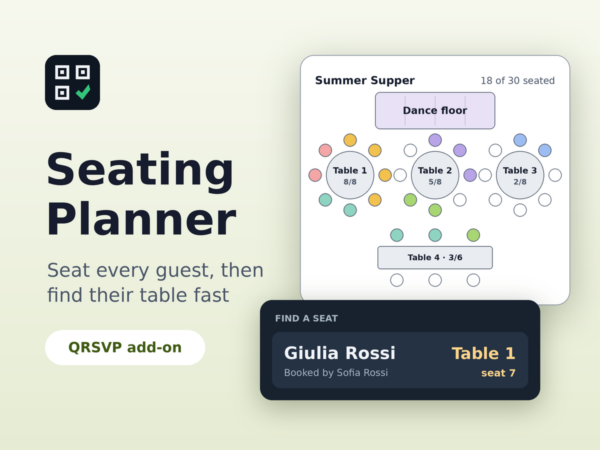
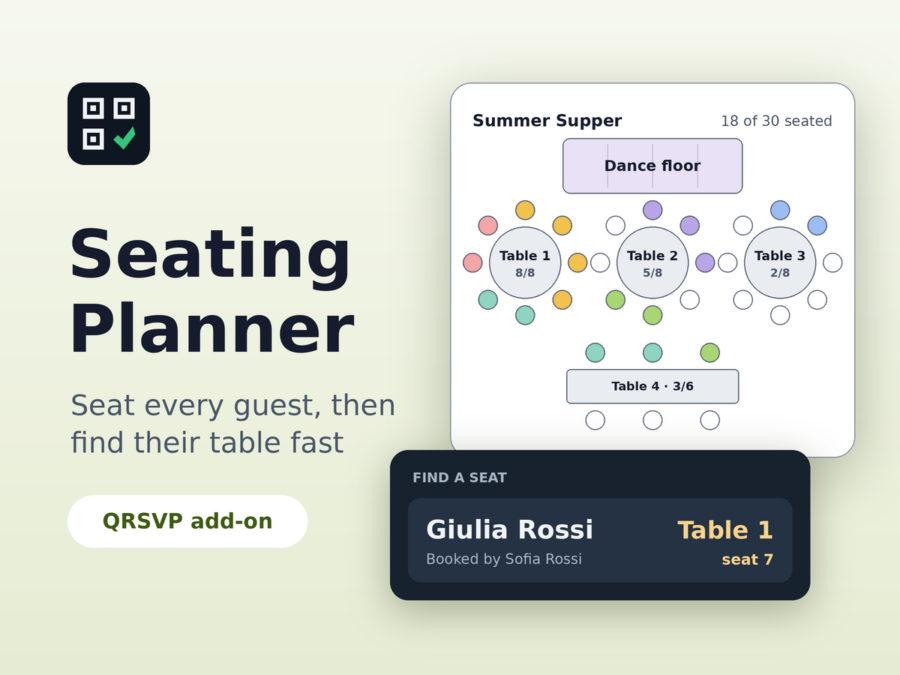
QRSVP Seating Planner adds a floor plan to each QRSVP event. Put round, square or long tables on it, a head table or rows of seats, and the dance floor, the stage and the bar — or start from a ready-made floor made for your number of guests. Then drag a guest, or a whole booking group, to a table or a seat. On a phone, tap a guest, then a table.
- New sign-ups wait under “Not seated yet”, and a guest who cancels gives up their seat
- “Seat the rest” seats everyone waiting at the free seats, each group together
- See each table’s allergies at a glance, and keep your own notes about a guest’s seat for your team
- At the door, the check-in page shows each guest’s seat when their ticket is scanned, and “Find a seat” finds anyone’s table by name
- Guests can see their table on their ticket and booking, once you turn it on
- Print the floor plan, an A to Z list for the entrance, each table’s guests for the venue and the caterer, place cards and escort cards — or download a spreadsheet
Needs only the free QRSVP plugin, not QRSVP Pro; the seats at the check-in page come with an up-to-date QRSVP. One licence covers one site, and you pay once: it never expires.
Summer Supper18 of 30 seated
Find a seat
Giulia RossiBooked by Sofia Rossi
Table 1seat 7
How it works
From checkout to your seating plan
-
Pay once
$29, with no subscription. The licence never expires.
-
Get your licence key
It arrives by email as soon as the payment is confirmed.
-
Start a floor, then seat your guests
Install the add-on beside the free QRSVP plugin and activate the key on its screen. Then open QRSVP → At the event → Seating Planner, pick a ready-made floor for your event, and drag your guests to their seats — or press “Seat the rest”.
Questions
Asked before buying
Still deciding? Read the Refund Policy, or write to [email protected].
Do I need QRSVP Pro?
No. Add-ons need only the free QRSVP plugin. They work with Pro too.
Do I have to type my guest list in again?
No. Everyone who signed up for the event is already there, under “Not seated yet”, with their group. A guest who signs up later joins them, and one who cancels gives up their seat.
How do my staff find a guest’s table on the night?
When they scan a ticket at the check-in page, the guest’s seat shows on their card, beside any allergy. “Find a seat” finds anyone by name, showing names and tables only. You can also print an A to Z list for the entrance, and place cards.
Can guests see their table before the event?
Only if you want them to. Once you turn it on for an event, each guest’s ticket and booking show their table. Your notes about a guest’s seat are only ever seen by your team.
Can I use one licence on several sites?
One licence covers one site. You can move it to another site from the add-on’s licence screen.
Can I get my money back?
Yes. Ask within 30 days of your payment and you get a full refund.
QRSVP Pro
Insights, reminders, your own questions and a waitlist
QRSVP Pro adds eight event themes, your own questions on the form, a waitlist when an event is full, reminder emails with the tickets, and Insights, to see how each event is going. From $6.58 a month, billed yearly. Add-ons work with Pro too.