Add-on · works with every plan, free included
QRSVP Chat Button
Let guests ask before they sign up — by phone, email, WhatsApp, Messenger or Telegram — from one button on your event page.
- Choose the ways for each event: one opens straight away, more open a list
- An email form in your event’s colours; your reply goes to the guest
- Never on tickets, the door or the legal pages
- Your licence key arrives by email as soon as the payment is confirmed.
- Works with the free QRSVP plugin from WordPress.org.
- One payment, no subscription.
- 30-day money-back guarantee.
What guests see
Let guests ask before they sign up
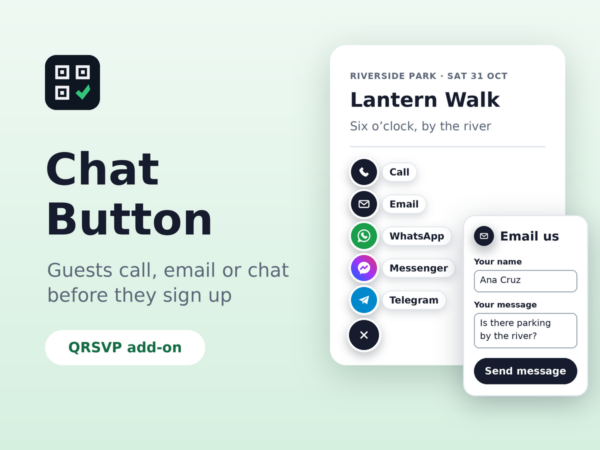
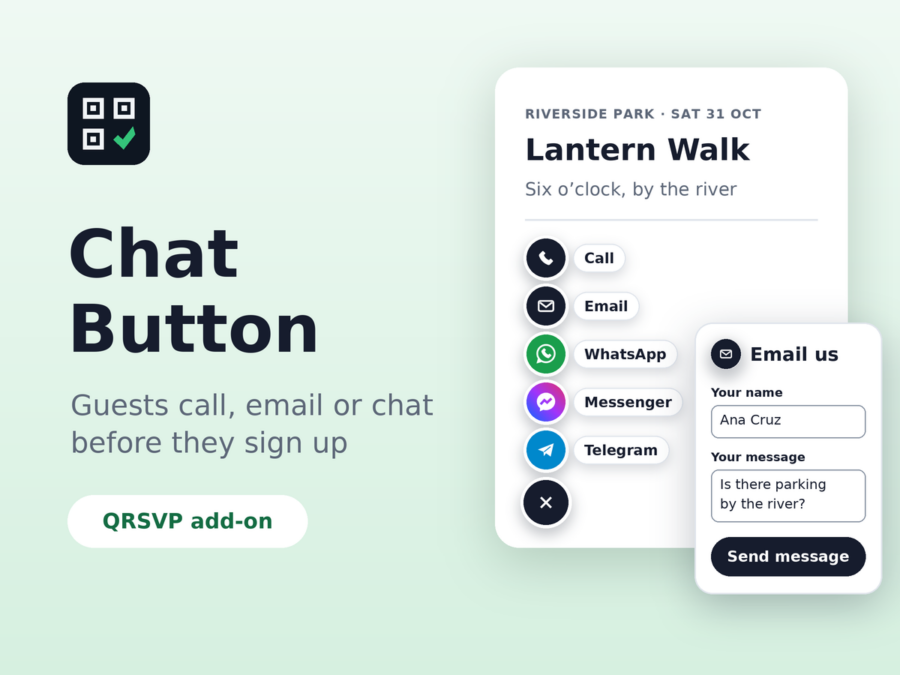
QRSVP Chat Button adds a round button to the lower-left corner of your event page and of each guest’s “View or change your registration” page. Guests tap it to call you, email you, or message you on WhatsApp, Messenger or Telegram — the ways you chose for the event.
- One way opens straight from the button; two or more open a list of them
- Email: a form on the page, in your event’s colours, sends the message to your contact email, and your reply goes straight to the guest. With the free Simple Cloudflare Turnstile plugin set up, Cloudflare’s Turnstile check stops messages sent by automated programs too.
- WhatsApp and Telegram open with a message to you already started: “Hi! I have a question about [your event].”
- Never on tickets, the door or the legal pages
Needs only the free QRSVP plugin, not QRSVP Pro. One licence covers one site, and you pay once: it never expires.
 CallEmailWhatsAppMessengerTelegramEmail usWrite to us about Riverside Autumn Fair 2026. Our reply comes to your email.Your nameAna CruzYour messageHi! Is there parking near the fair?Send message
How it works
From checkout to the button on your page
-
Pay once
$19, with no subscription. The licence never expires.
-
Get your licence key
It arrives by email as soon as the payment is confirmed.
-
Choose the ways, per event
Install the add-on beside the free QRSVP plugin and activate the key on its screen. Then tick the ways guests can reach you on an event: call, email, WhatsApp, Messenger or Telegram.
Questions
Asked before buying
Still deciding? Read the Refund Policy, or write to [email protected].
Do I need QRSVP Pro?
No. Add-ons need only the free QRSVP plugin. They work with Pro too.
Where does the button appear?
In the lower-left corner of your event page and of each guest’s “View or change your registration” page — never on tickets, the door or the legal pages. With one way on, it opens that one; with more, a list of them.
Does the email form stop spam?
Yes. It has a hidden trap and a limit on messages from one connection, and Cloudflare Turnstile’s check too when the free Simple Cloudflare Turnstile plugin is set up. Messages only ever go to your event’s own email address.
Can I use one licence on several sites?
One licence covers one site. You can move it to another site from the add-on’s licence screen.
Can I get my money back?
Yes. Ask within 30 days of your payment and you get a full refund.
QRSVP Pro
Insights, reminders, your own questions and a waitlist
QRSVP Pro adds eight event themes, your own questions on the form, a waitlist when an event is full, reminder emails with the tickets, and Insights, to see how each event is going. From $6.58 a month, billed yearly. Add-ons work with Pro too.