Add-on · works with every plan, free included
QRSVP Badges and Labels
Print name badges, stickers and table cards from your guest list — each guest’s name, their ticket type and a QR code if you like — and print each badge as guests check in.
- In your event’s look, on badge inserts, sticker sheets or a label printer
- Each ticket type in its own colour, so staff tell speakers and guests apart
- A badge desk prints each guest as they’re checked in, from any phone
- Your licence key arrives by email as soon as the payment is confirmed.
- Works with the free QRSVP plugin from WordPress.org.
- One payment, no subscription.
- 30-day money-back guarantee.
What you print, and what prints at the door
Name badges, made from your guest list
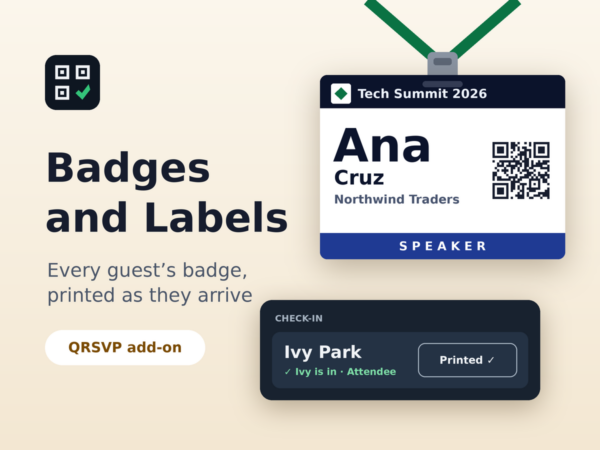
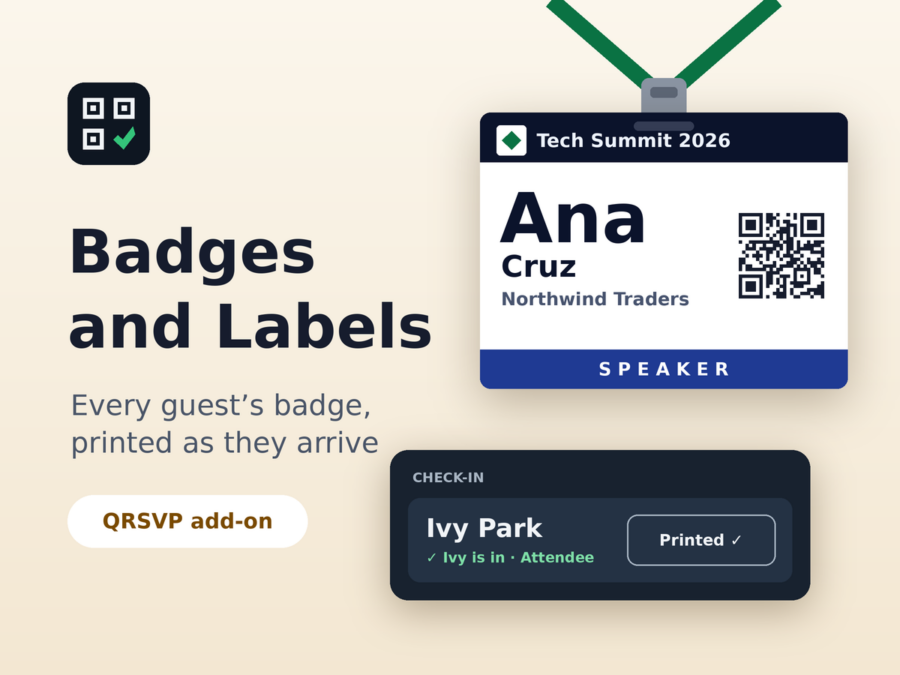
QRSVP Badges and Labels prints a badge for each guest of a QRSVP event: their name large, a line under it — their ticket type, who booked them, a company you type, or an answer to one of QRSVP Pro’s questions — and their ticket type along the bottom in its own colour. Five layouts, in your site’s colours and fonts, in the event’s theme, or in QRSVP Pro’s eight event themes while QRSVP Pro is active.
- Badge inserts for holders and lanyards, sticker sheets and table cards to fold, on US Letter or A4 — common Avery sizes built in, or measure your own
- One at a time from a label printer: DYMO, Brother, Zebra or a shipping-label printer
- Every name shrinks to fit its badge, only as much as it must, and is never cut off
- A QR code to check the guest in on the check-in page, or one that opens the event’s page
- Print everyone, everyone without a badge yet, one ticket type, or the guests you tick — from any label of a sheet you’ve used before
- The badge desk prints each guest checked in at the door, from any phone; with an up-to-date QRSVP, the check-in page has a Print badge button on each guest
Needs only the free QRSVP plugin, not QRSVP Pro; printing from the check-in page comes with an up-to-date QRSVP. One licence covers one site, and you pay once: it never expires.
Tech Summit 2026
AnaCruzNorthwind Traders
Speaker
Check-in
Ivy Park✓ Ivy is in · Attendee
Printed ✓How it works
From checkout to your first badges
-
Pay once
$19, with no subscription. The licence never expires.
-
Get your licence key
It arrives by email as soon as the payment is confirmed.
-
Make a design, then print
Install the add-on beside the free QRSVP plugin and activate the key on its screen. Then open QRSVP → At the event → Badges and Labels, pick a name badge, a sticker, a check-in label or a table card, and print your sheets — or open the badge desk on the day.
Questions
Asked before buying
Still deciding? Read the Refund Policy, or write to [email protected].
Do I need QRSVP Pro?
No. Add-ons need only the free QRSVP plugin. They work with Pro too.
What can I print badges on?
Badge inserts for holders and lanyards, sticker sheets and table cards to fold, on US Letter or A4 from any office printer — the sizes of common Avery sheets are built in, or measure your own. Or one at a time from a DYMO, Brother, Zebra or shipping-label printer.
Can badges print as guests arrive?
Yes. Keep the badge desk open on the computer your badge printer is plugged into: each guest checked in at the door, from any phone, prints there by itself. With an up-to-date QRSVP, the check-in page has a Print badge button on each guest too.
Can a badge show a company or a job title?
Yes. Type a line for any guest — a company, a role — or, with QRSVP Pro, ask everyone on the form with a question of your own and put their answer on the badge. A badge never shows an allergy, a note or a contact detail.
Can I use one licence on several sites?
One licence covers one site. You can move it to another site from the add-on’s licence screen.
Can I get my money back?
Yes. Ask within 30 days of your payment and you get a full refund.
QRSVP Pro
Insights, reminders, your own questions and a waitlist
QRSVP Pro adds eight event themes, your own questions on the form, a waitlist when an event is full, reminder emails with the tickets, and Insights, to see how each event is going. From $6.58 a month, billed yearly. Add-ons work with Pro too.