Add-on · works with every plan, free included
QRSVP Payment with PayPal
Let guests pay for their tickets online with PayPal — right after signing up, or later from their booking — or at the door, as before.
- A PayPal account or a card, on PayPal’s own page
- The money goes straight to your PayPal account
- Every payment on its group’s page, with PayPal’s transaction id
- Your licence key arrives by email as soon as the payment is confirmed.
- Works with the free QRSVP plugin from WordPress.org.
- One payment, no subscription.
- 30-day money-back guarantee.
What guests see
Let guests pay before the day
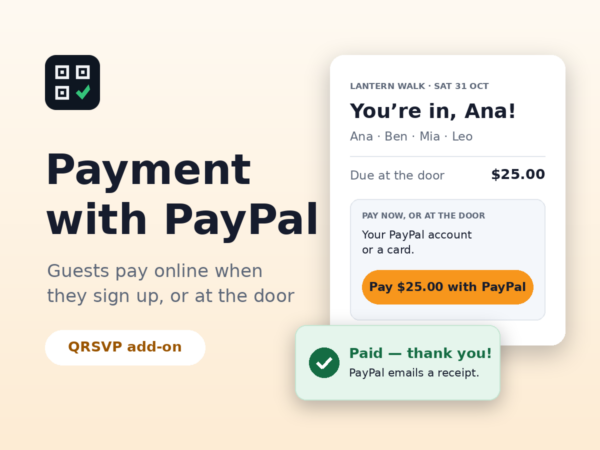
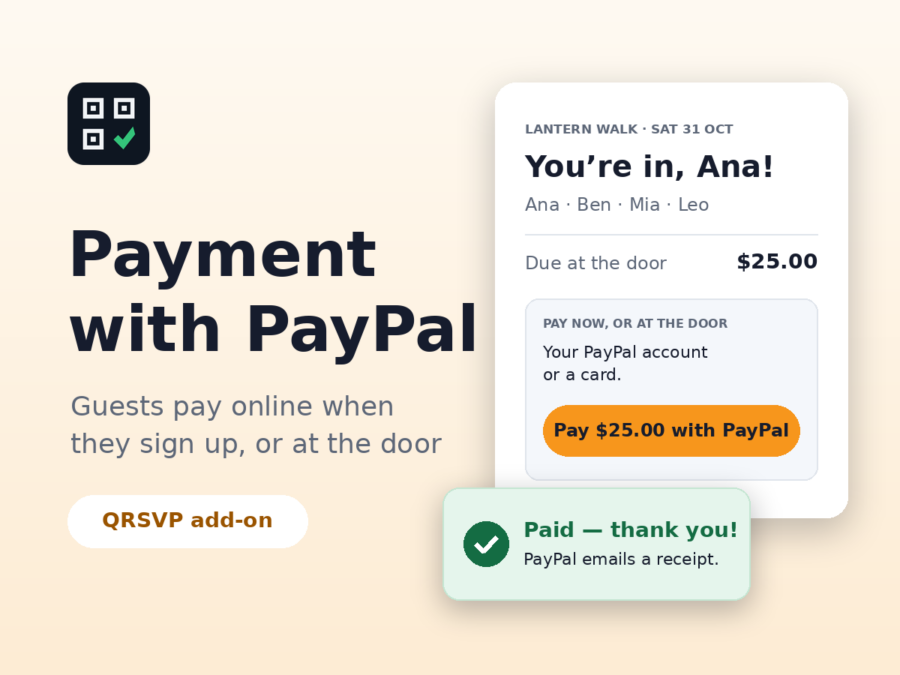
QRSVP Payment with PayPal adds a box under the group’s total on the “You’re in” page and on each guest’s booking: “Pay $25.00 with PayPal”. Guests pay on PayPal’s own page — with a PayPal account or a card — and come back to a booking that says it’s paid. Anyone who doesn’t pays at the door, as before.
- Turn it on per event, and try it first in Sandbox mode with PayPal’s test accounts
- Only PayPal’s own answer marks anyone paid, and nobody pays twice for the same tickets
- Refunds are made in PayPal, and your guest list follows them
- A log of every step, if you want one
Needs only the free QRSVP plugin, not QRSVP Pro, and a PayPal business account. One licence covers one site, and you pay once: it never expires.
Lantern Walk · Sat 31 Oct
You’re in, Ana!
Ana · Ben · Mia · Leo
Due at the door$25.00
Pay now, or at the door
Your PayPal account or a card.
Paid — thank you! PayPal emails a receipt.
How it works
From checkout to payments on your page
-
Pay once
$29, with no subscription. The licence never expires.
-
Get your licence key
It arrives by email as soon as the payment is confirmed.
-
Connect PayPal, then turn it on per event
Install the add-on beside the free QRSVP plugin, activate the key on its screen, paste your PayPal app’s client ID and secret, then tick “Let guests pay online with PayPal” on an event.
Questions
Asked before buying
Still deciding? Read the Refund Policy, or write to [email protected].
Do I need QRSVP Pro?
No. Add-ons need only the free QRSVP plugin. They work with Pro too.
Who receives the money?
You do. Payments go straight to your own PayPal business account, with PayPal’s usual fees; QRSVP takes nothing and never holds the money. Refunds are made in PayPal, and your guest list follows them.
Can I use one licence on several sites?
One licence covers one site. You can move it to another site from the add-on’s licence screen.
Can I get my money back?
Yes. Ask within 30 days of your payment and you get a full refund.
QRSVP Pro
Insights, reminders, your own questions and a waitlist
QRSVP Pro adds eight event themes, your own questions on the form, a waitlist when an event is full, reminder emails with the tickets, and Insights, to see how each event is going. From $6.58 a month, billed yearly. Add-ons work with Pro too.